Fotografie, Photoshop und Bildbearbeitung - Know How
Stand: 10.04.2026
Anmerkung:
Alle Informationen hier sind meine Art und Weise, wie ich arbeite oder wie ich es mir beigebracht habe.
Das ist nicht der einzige richtige Weg und das muss auch nicht der beste Weg sein.
Aber es ist halt mein Weg, den ich mit Euch teilen möchte.
Für Verbesserungsvorschläge oder weiteres Know How bin ich offen.
- Fotographie
-
Photoshop
- Grundlagen Sktipte
Fotographie
Grundlagen
Objektiv Abkürzungen und Bezeichnungen
kurze Erklärung, was die einzelnen Informationen auf den Objektiven bedeuten.
z.B. Bildstabilisator
- bei Canon IS (Image Stabilization)
- bei Tamron VC (Vibration Compensation)
- bei Sigma OS (Optical Stabilization)
Anlage: Objektiv Abkürzungen & Bezeichnungen
Wie wirken Farben zueinander?
Es sollten nach Möglichkeit Komplementärfarben fotografiert werden
- Blau und Gelb
- Rot und Grün

Anlage: -
Photoshop
Grundlagen
Allgemeine Grundlagen die ich mir angelesen habe und seit 2009 verwende.
Anlage: Bildbearbeitung_Workflow
Skripte
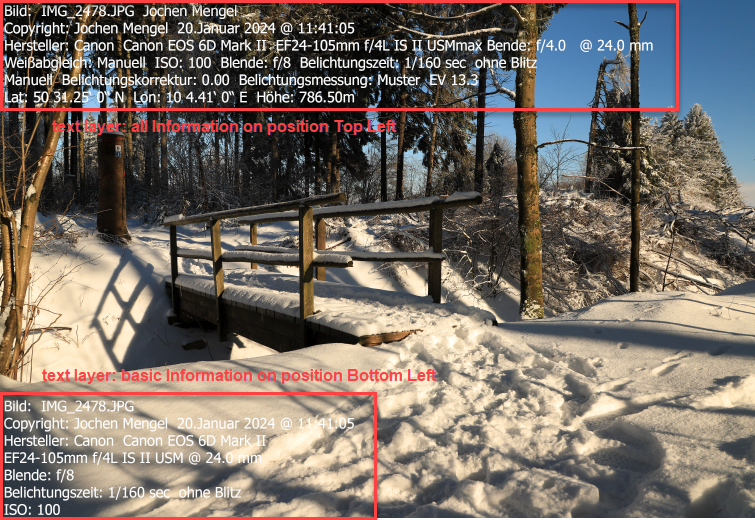
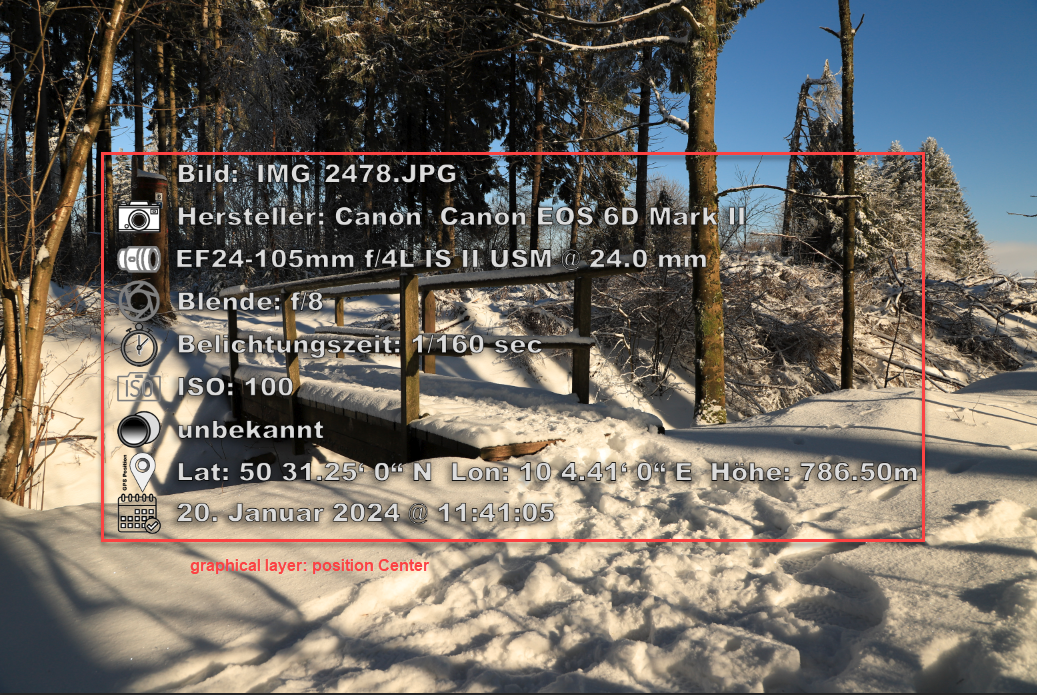
This script read out the EXIF Metadata from the picture and write them as a new layer on the top of the picture in Photoshop.
This initial EXIF grab script was hacked from one from the web JJMack 2008.
Second part (basic panel) copied from adobe community .
Both parts are modified by me - panel was programmed based on the community panel information.
Special thanks to the authors sharing there knowledge.
There are two options to show this Exif Metadata on the image:
-
as text layer - EXIF Metadata in graphical layer with icons
-
as graphical layer - EXIF Metadata in grpahical layer with icons
- sctipt file
- template file for graphical image
- documentation